
Getting started using EDSL
If you're totally new to EDSL or haven't used it in a while, these quick steps will get you started running example code and exploring new features in just a few minutes.
Step 1: Install EDSL
Open your terminal and run the following command to install the EDSL package:
pip install edsl
To update an existing installation:
pip install --upgrade edsl
Step 2: Create an account
Sign up for a free account to access special features for conducting research at the Expected Parrot server.
Your account comes with $25 in credits for API calls to available models.
Step 3: Choose where to conduct your research
You can run surveys remotely at the Expected Parrot server or locally on your own machine.
Activate remote inference at your Settings page:
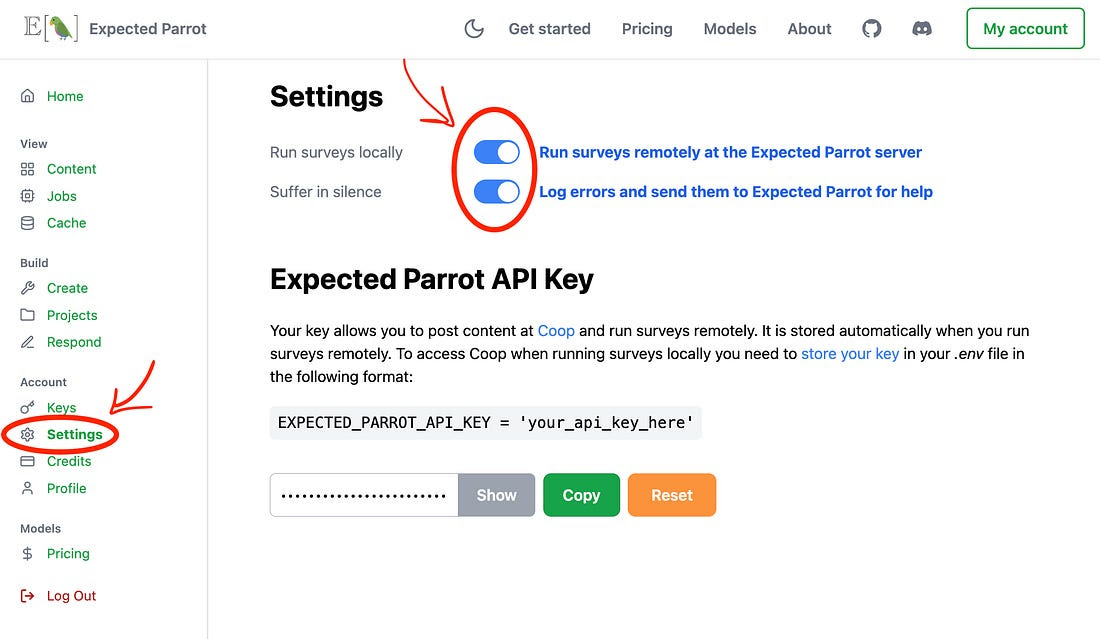
This allows you to:
- Run surveys at the Expected Parrot server.
- Use your Expected Parrot API key to access all available models.
- Automatically store and retrieve responses from the Universal Remote Cache.
Learn more about remote features.
Step 4: Manage API keys
You can use your own API keys for LLMs and/or an Expected Parrot API key that provides access to all available models.
Manage keys at your Keys page:
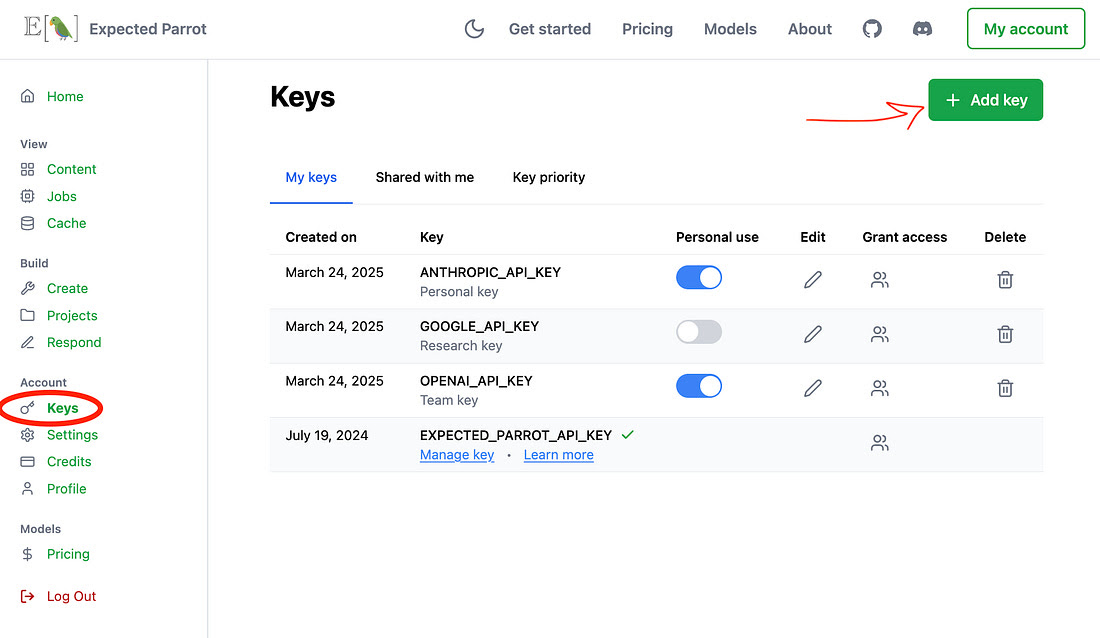
- Use your Expected Parrot API key to access all available models.
- Add your own keys from Anthropic, OpenAI and other service providers.
- Share keys with your team, track usage, set spending limits and easily switch between providers at any time.
Learn more about managing keys.
Step 5: Run the starter tutorial
Download and run the starter tutorial notebook to try example code. You can also explore demo notebooks for a variety of use cases at our documentation page and easily modify them for your purposes.
Have a use case that you don't see covered? Get in touch and we'll create one for you!